Most small businesses don't need "AI transformation". They need the same five boring tasks to stop eating their week: copying leads into a spreadsheet, chasing invoices, reminding customers about appointments, answering the same emails.
That's exactly what automation is good at — and you don't need a big agency or a big budget to get it. One focused freelancer and a small, well-defined project is usually enough. Here's how to pick what to automate first, and how to hire the right person to do it.
Which tasks to automate first
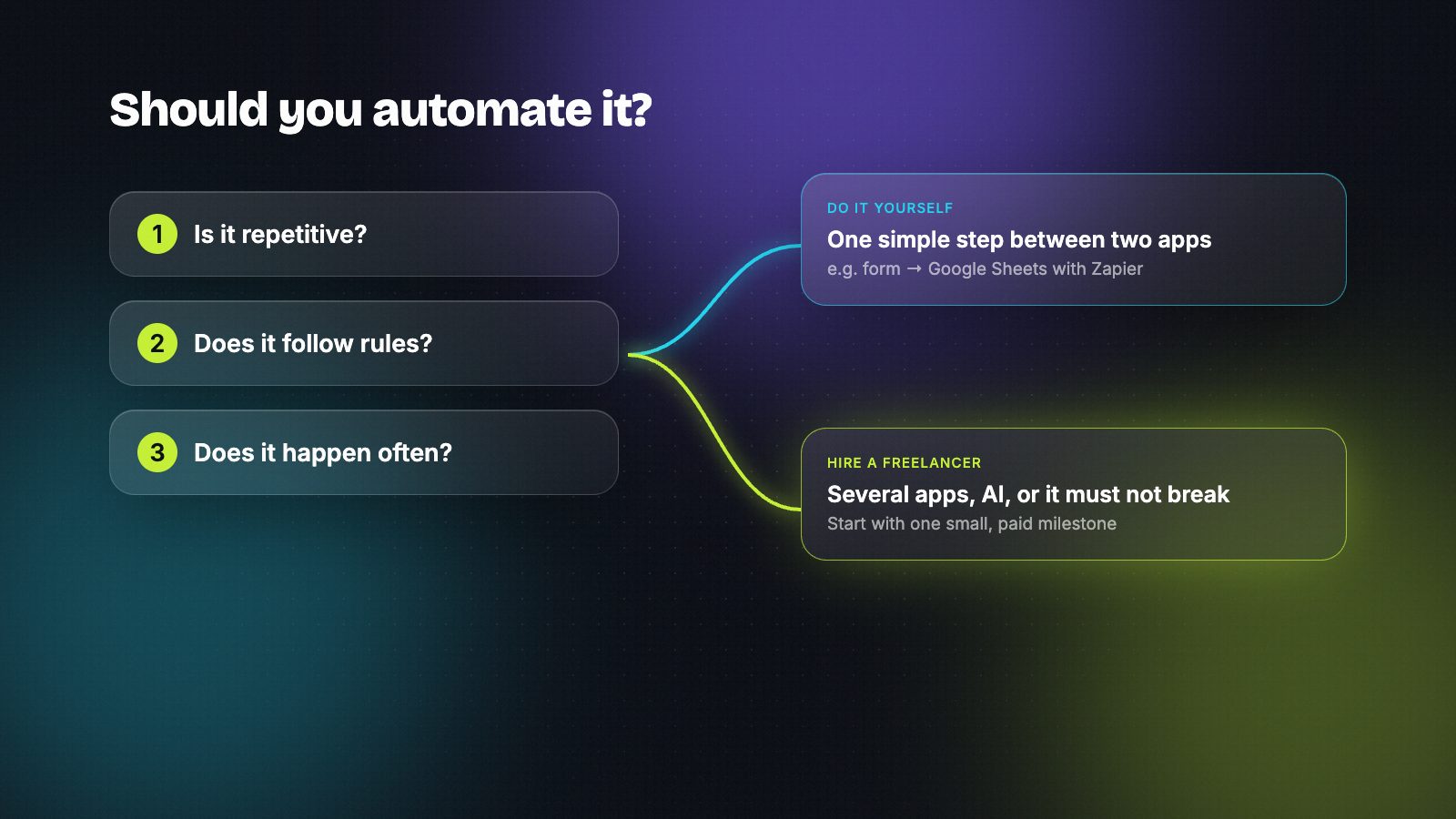
Good first candidates pass a simple three-question test:
- Is it repetitive? You do it the same way every time.
- Does it follow rules? "When X happens, do Y" — or, with AI, "read this and sort it".
- Does it happen often? Daily or weekly, not once a year.
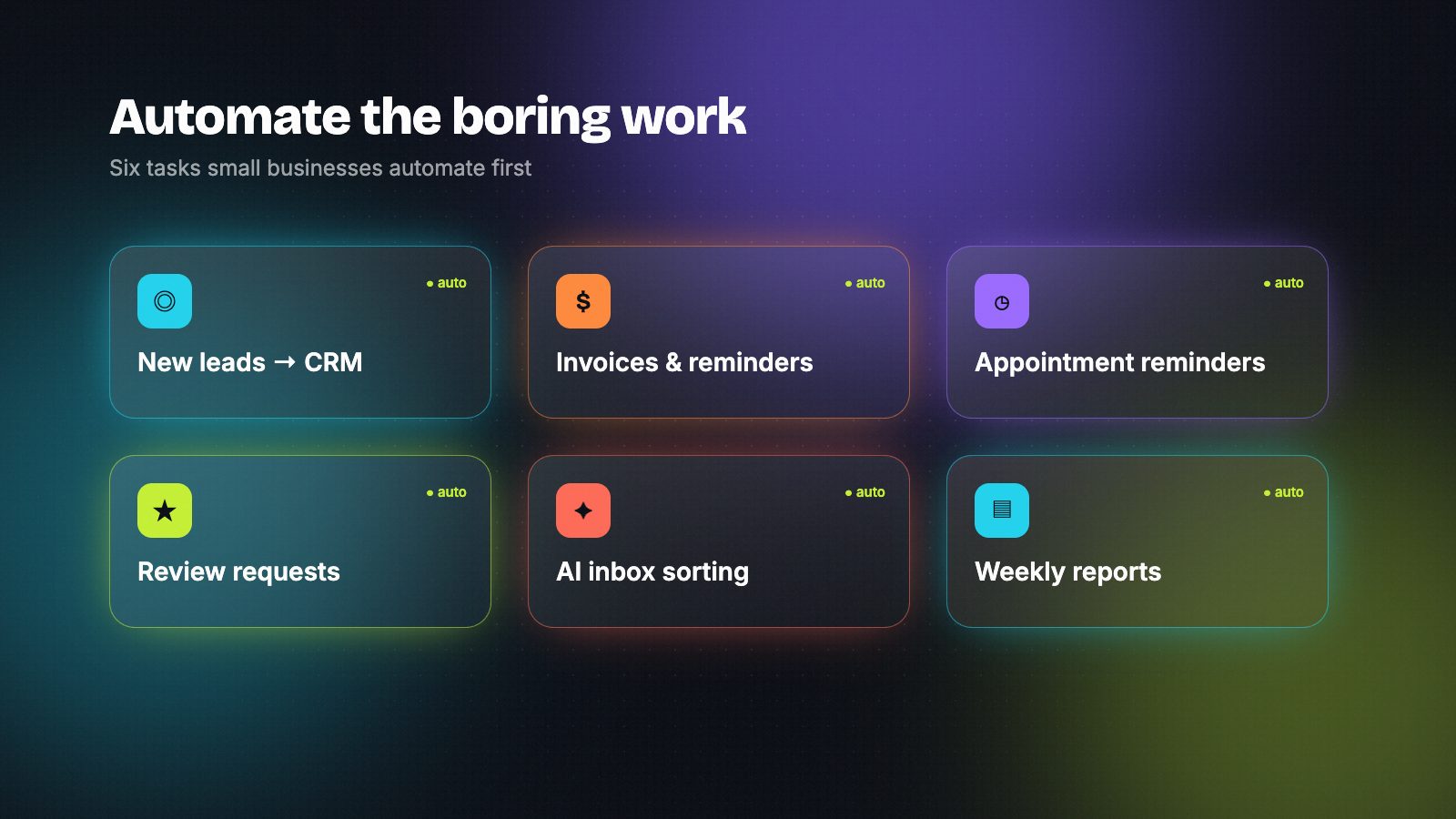
Tasks small businesses most often start with:
- New enquiries into your CRM or spreadsheet — from your website form, Facebook leads or email, with an instant reply to the customer.
- Invoices and payment reminders — send the invoice, remind politely when it's late, update your books.
- Appointment confirmations and reminders — fewer no-shows without anyone picking up the phone.
- Review requests — a friendly message after each completed job.
- Inbox sorting with AI — tag emails as sales, support or spam and draft replies for you to approve.
- Weekly reports — sales, bookings or ad results collected into one summary every Monday.
Start with one of these. A single automation that saves you two hours a week is worth more than a big plan that never ships.
Should you do it yourself or hire someone?
Do it yourself if it's one simple step between two apps you already use — for example "new form entry → add a row to Google Sheets". Tools like Zapier are built for exactly that.
Hire a freelancer when:
- it touches several apps (your website, CRM, calendar, accounting),
- it needs AI to read or write text,
- it has to be reliable — you'd lose money or customers if it silently stopped,
- or you simply don't want to spend your weekend learning a new tool.
How to hire an automation freelancer for a small project
1. Write a one-paragraph brief
Describe the problem and the result, not the technology. Use the template further down — it takes five minutes and makes every conversation faster.
2. Let the tool follow who will maintain it
If you'll want to tweak it yourself later, ask for Zapier or Make, which are easier for non-technical people. If you have someone technical, or want to keep data on your own server, n8n is a strong choice. Our comparison of n8n vs Make vs Zapier explains the trade-offs.
3. Find people who already build this
Search for builders by tool and time zone instead of posting a job and sorting through dozens of bids. On HireAutomators you can filter by tool — n8n, Make, Zapier and more — see real work samples, and message builders directly. It's free while we launch.
4. Check real proof of work
Ask to see something they built that's similar to your problem — a short video of it running is ideal. Then ask one question: "What happens when it fails?" Good freelancers answer immediately: error alerts, retries, and a message to you when something needs attention.
5. Start with a small, paid first milestone
Agree a fixed price for one clear result ("new website enquiries arrive in the CRM and get an instant reply"). It's lower risk for you, and the freelancer gets a clear finish line. If it goes well, add the next automation.
6. Agree on handover before you start
You should end up with: access to everything that was built, short written notes on how it works, and an agreement on who fixes it if it breaks — you, them on a small monthly retainer, or a mix.
What a small project usually costs
It depends on how many apps are involved, whether AI is used, and how reliable it needs to be. A single, well-scoped automation is a small project; a system that connects your whole business is a bigger one. Our guide to what it costs to hire an AI automation expert breaks down typical pricing models.
Don't forget running costs: the automation tool's subscription (Zapier, Make or n8n Cloud), and AI usage if the workflow calls a model. Ask the freelancer to estimate these up front.
Keep your business safe
- You own the accounts. Create the Zapier, Make or n8n account in your business's name and invite the freelancer — don't let them build it inside their own account.
- Never send passwords in chat. Use invites, user roles and API keys you can delete later.
- Ask for error alerts that go to you, not only to the freelancer.
- Remove access when the project ends, unless they're maintaining it.
A brief you can copy
What we do: We're a [type of business] with [number] staff. The problem: Every [day/week] we [repetitive task], which takes about [time]. What we want: When [trigger], automatically [result]. Tools we use: [website, CRM, email, calendar, accounting…] Who maintains it: [us / you on a retainer] Timing and budget: We'd like it working by [date]; budget around [range].
Red flags
- They can't show anything similar they've built.
- They want to build everything in their own account.
- No plan for what happens when it breaks.
- A big quote with no first milestone.
- Promises of "full automation of your business" in a week.
Frequently asked questions
Can a small business really automate its work?
Yes — not everything, but the repetitive parts: moving information between apps, reminders, follow-ups, sorting messages and reports. Most small businesses start with one task, see the time it saves, and add more over time.
What is the easiest thing to automate first?
Capturing new enquiries is usually the best first step: every form or email lead goes straight into your CRM or spreadsheet and the customer gets an instant reply. It's simple, quick to build and directly protects revenue.
Zapier, Make or n8n — which is best for a small business?
Zapier is the easiest for simple workflows you'll manage yourself. Make gives more control for multi-step processes at a lower cost for many teams. n8n suits businesses with technical help or strict data needs. A good freelancer will recommend one based on who maintains it.
Will my automations need maintenance?
A little. Apps change, passwords expire and APIs get updated, so automations occasionally need fixes. Agree up front who handles that — either you, with good documentation, or the freelancer on a small monthly plan.
Hire AI automation builders who actually reply.
Verified builders with real workflows on every profile — free during launch.